
How to Start Posting on LinkedIn to Establish Yourself as a Thought Leader

Why LinkedIn Matters Right Now
LinkedIn isn’t just for résumés—it’s the stage for building credibility, visibility, and authority in your industry. If you’ve been wondering how to establish yourself as a thought leader on LinkedIn, the answer is simple: start posting.
Before you start creating content, it's important to understand how your brand is currently showing up. If you're unsure whether your messaging, visuals, and positioning are working together, try our Brand Audit Scorecard to identify opportunities for improvement.
LinkedIn content strategy has shifted dramatically over the last few years. Instead of polished corporate updates, people are connecting more with posts that feel human, insightful, and easy to digest. Sharing regularly is how you stay top of mind with the people who matter most: potential clients, collaborators, and peers.
But here’s the question: what kind of content actually works on LinkedIn?
In this post, I’ll break down:
The three formats currently gaining the most traction on LinkedIn
How to create posts that connect with your viewer
How often you should show up to gain credibility
And if you’ve ever stalled at the blank screen, I’ll share a shortcut to get you posting like a pro in no time.
What’s Trending on LinkedIn Right Now
So, what’s actually working right now? Let’s look at the three big content formats driving traction on LinkedIn today:
Carousels – swipeable, saveable posts packed with ideas in a quick-to-digest format
Storytelling posts – raw, honest narratives that reveal lessons and spark connection
Unpolished authenticity – straight-from-your-phone videos or behind-the-scenes snapshots that feel human and relatable
All three formats matter, but let’s pause on LinkedIn carousels for a moment—because they’re the one format that combines teaching, storytelling, and visuals in a way that makes people stop scrolling and hit “save.”
According to Canva’s 2025 State of Visual Communication report, visual content is remembered 74% faster than dull design. Translation? People won’t just see your carousel—they’ll remember it.
Why Carousels Build Authority Faster
While storytelling posts and unpolished videos spark emotion and connection, LinkedIn carousels build authority faster because they’re both visual and educational.
The goal is to create content people want to save or send to a coworker.
That could be:
A resource guide
A set of quick industry tips
Or something so clever or funny they just have to share it
The secret?
Keep it short, snappy, and to the point. Carousels aren’t for essays—they’re for ideas that land quickly.
One of the best ways to create educational content is by repurposing larger resources into smaller pieces. For example, a white paper can easily become multiple LinkedIn posts or carousel series. Learn more about how to use white papers to grow your business and your email list.
And don’t forget: your brand voice needs to shine through. When someone swipes through your carousel, they should hear you—even without sound.
What Makes a Good Carousel (and What Doesn’t)
✅ A bold cover slide that grabs attention
✅ One clear idea per slide, minimal text, strong visuals
✅ A natural flow from beginning to end
❌ Walls of text that overwhelm readers
❌ Over-designed, too much going on. Remember “K.I.S.S.” Keep It Super Simple
❌ Generic, recycled content—tell us your perspective, not everyone else’s
These best practices aren’t just design rules—they’re the foundation of a strong LinkedIn content strategy.
How Often Should You Post on LinkedIn?
Right now, the algorithm loves consistency. Posting 2–3 times per week (with at least one carousel) helps you stay visible and build credibility over time.
And right now, high-polish perfection isn’t the goal. Raw, unpolished, camera-phone content is performing incredibly well because it feels real and human.
For startup founders, this visibility can directly impact funding opportunities. Pair your LinkedIn strategy with our Investor-Ready Design Checklist to ensure your brand is making the right first impression.
So don’t stress about being flawless. Mix it up with carousels, stories, and raw posts. The most important thing is to show up regularly. That’s the cornerstone of any thought leadership strategy on LinkedIn.
How to Actually Get Heard on LinkedIn
Visibility isn’t just about what you post—it’s also how you engage.
Start by commenting thoughtfully on other people’s content. This sparks attention.
Then, use your own posts as “mini-content”—quick thoughts, insights, or hot takes.
Teach, encourage, and yes—even make people laugh.
Repurpose your content into LinkedIn carousels to expand on ideas and give them more life.
Think of it this way: every post is an opportunity for people to get to know your brain. That’s how you establish yourself as a thought leader on LinkedIn.
Shortcut: Use Professionally Designed Templates
Designing a carousel takes strategy, design sense, and a lot of time. And while storytelling posts or raw videos can be typed or filmed in minutes, carousels demand a little more polish.
That’s exactly why I created LinkedIn Carousel Templates—so you can skip the design grind and focus on sharing your perspective.
They’re:
Designed to match what works on LinkedIn (hierarchy, readability, engagement flow)
Built to save you hours of design time
Flexible enough to make your voice and brand shine through
You can:
Buy templates individually if you just need a few
Or grab the full bundle for maximum variety and the best deal
Either way—you’ll be posting like a pro, faster.
Need additional content inspiration? Download our Free Social Media Templates to help maintain consistency across your marketing channels.
Start Posting
Stop reading everyone else’s posts and start putting your own thoughts out there. LinkedIn isn’t waiting for perfect—it’s waiting for you.
And when you do? Tag me or send me your link—I’d love to support your journey.
If you're still refining your offer or making sure you're building something people actually want, our Business Validation Workbook can help you gain clarity before investing more time into marketing.
And if you're looking for a few quick improvements to strengthen your credibility online, check out our 5 Quick Fixes to Polish Your Brand Without Hiring a Designer.
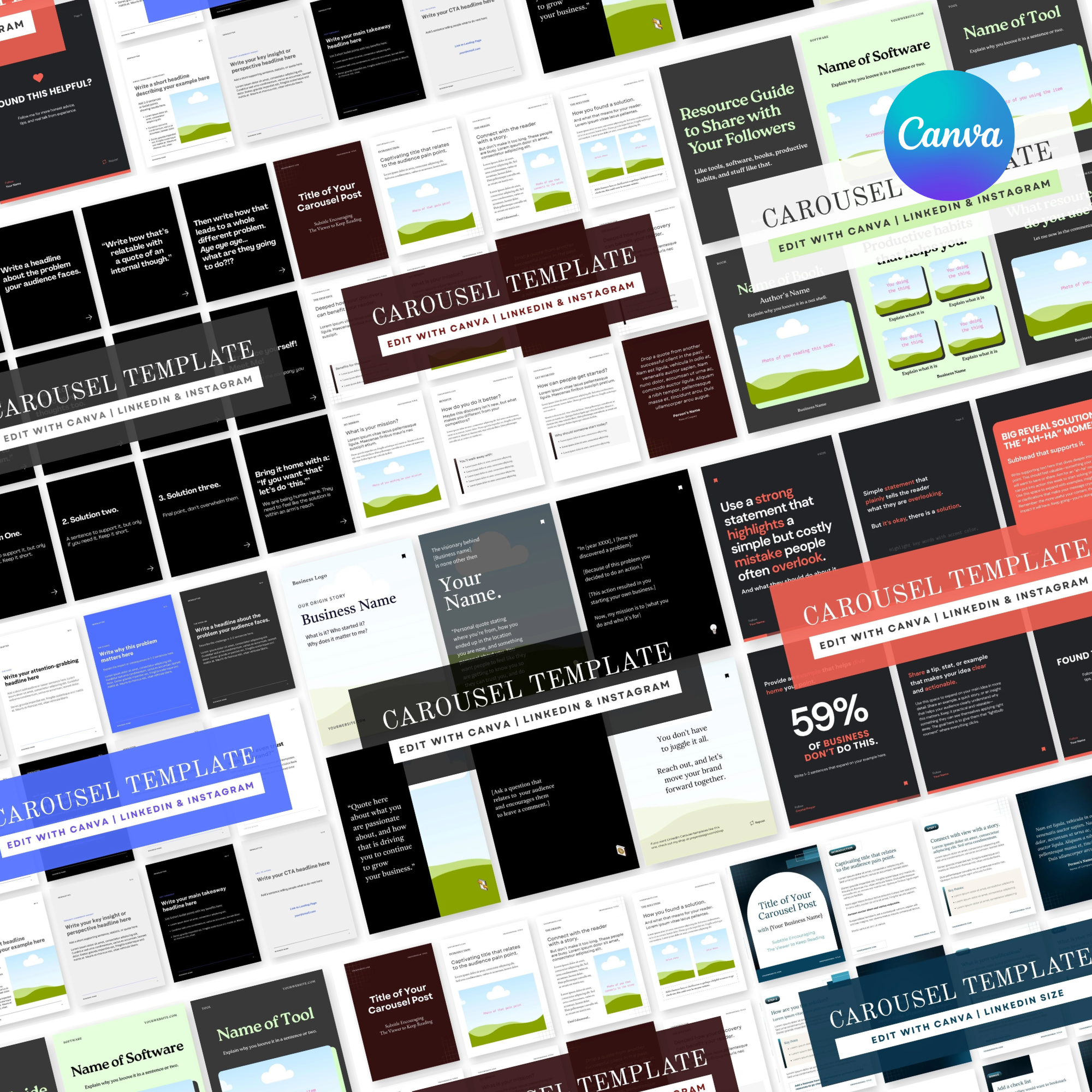
The Ultimate LinkedIn & Instagram Carousel Bundle – 7-in-1 Templates ✨
Stop staring at a blank page and start posting with confidence! This bundle includes all 7 of my best-performing carousel templates—a no-brainer deal for anyone ready to level up their LinkedIn and Instagram presence.
With this bundle, you’ll get customizable templates (plus writing prompts) designed to position you as an authority, share your story, and connect with your audience in a powerful way.
📌 What’s Inside:
• Share Your Process – Show your audience how you work and build trust.
• Problem & Solution – Clearly explain challenges and your unique fix.
• Storytelling & Solution (with ChatGPT Script Prompt) – Hook readers with a story-driven format.
• Resource Guide – Share value-packed recommendations your audience will love.
• Thought Leader (with ChatGPT Script Prompt) – Step into your expert voice with ease.
• Introducing Yourself – Perfect for new connections or reintroducing your brand.
• Common Industry Mistakes (with ChatGPT Script Prompt) – Educate and guide your audience with authority.
💡 Each template comes with plug-and-play prompts to help you avoid writer’s block and quickly fill in the text spaces with content that feels authentic, confident, and professional.
🔥 Why Carousels?
LinkedIn carousels are one of the fastest-growing ways to share ideas online. They’re interactive, easy to swipe through, and perfect for breaking down big concepts in a visual, digestible way.
With these templates, you’ll:
• Highlight your branding and personal style
• Share content that’s engaging, polished, and professional
• Stand out in the feed with posts that position you as an expert
Whether you’re a coach, consultant, creative, or business owner—this bundle saves you hours of design and writing time while giving you tools to show up with confidence.
✨ Post smarter, not harder—your audience is waiting.
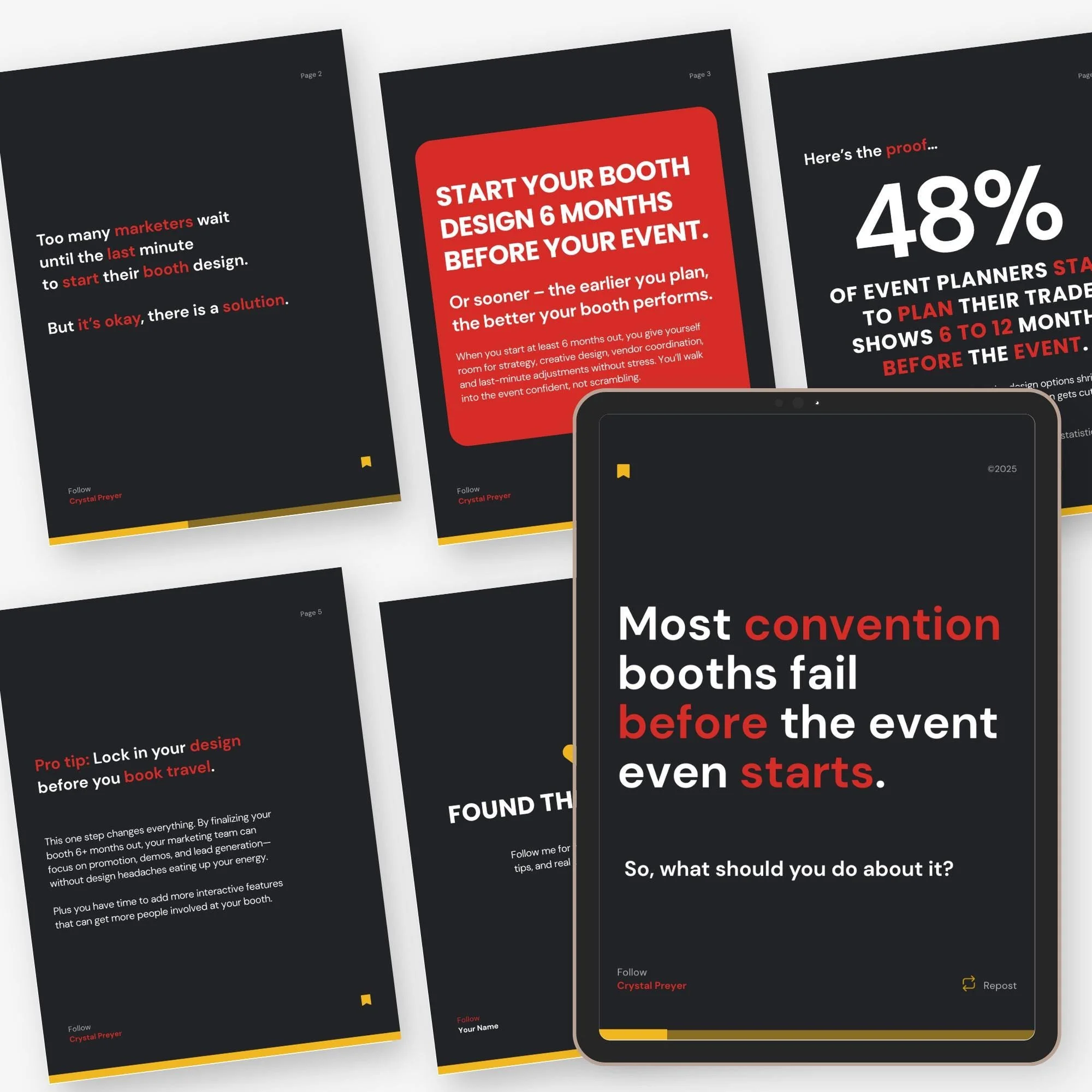
This Canva carousel template is designed to help you explain common myths in your industry in a way that feels authentic, engaging, and professional. Share your thoughts easily with this prompted guide. Connects with your audience, and then guide them to define you as an expert in your industry, and get them to know you and build trust.
And here’s the best part: it also comes with a Chat GPT writing prompts to help you generate compelling content for every slide—so you’ll never feel stuck staring at a blank page.
What’s included:
• 2 fully customizable Canva carousel templates
• 6 professionally designed slides
• Editable text, colors, fonts, and images
• Designed for LinkedIn & Instagram carousels
• Bonus, prompted for writing that engages
Why you’ll love it:
• Save hours of design and writing time
• Start with a problem and target audience you want to address that captures attention and builds trust
• Perfect for marketing directors, entrepreneurs, and social media managers
• Digital download—start creating immediately
How it works:
1. Purchase & download
2. Open in Canva (free account works!)
3. Use the included ChatGPT script prompt to generate slide copy
4. Customize text, images, and colors to fit your brand
5. Export as a PDF or images and upload to LinkedIn or Instagram
✨ Want to see this template in action? Check out examples on my pages:
Instagram → @preyerdesign https://www.instagram.com/preyerdesign/
LinkedIn → Preyer Design https://www.linkedin.com/company/preyer-design/
Boost engagement, share your process through visual storytelling, and create carousels that show your audience what it’s really like to work with you—without hiring a designer.
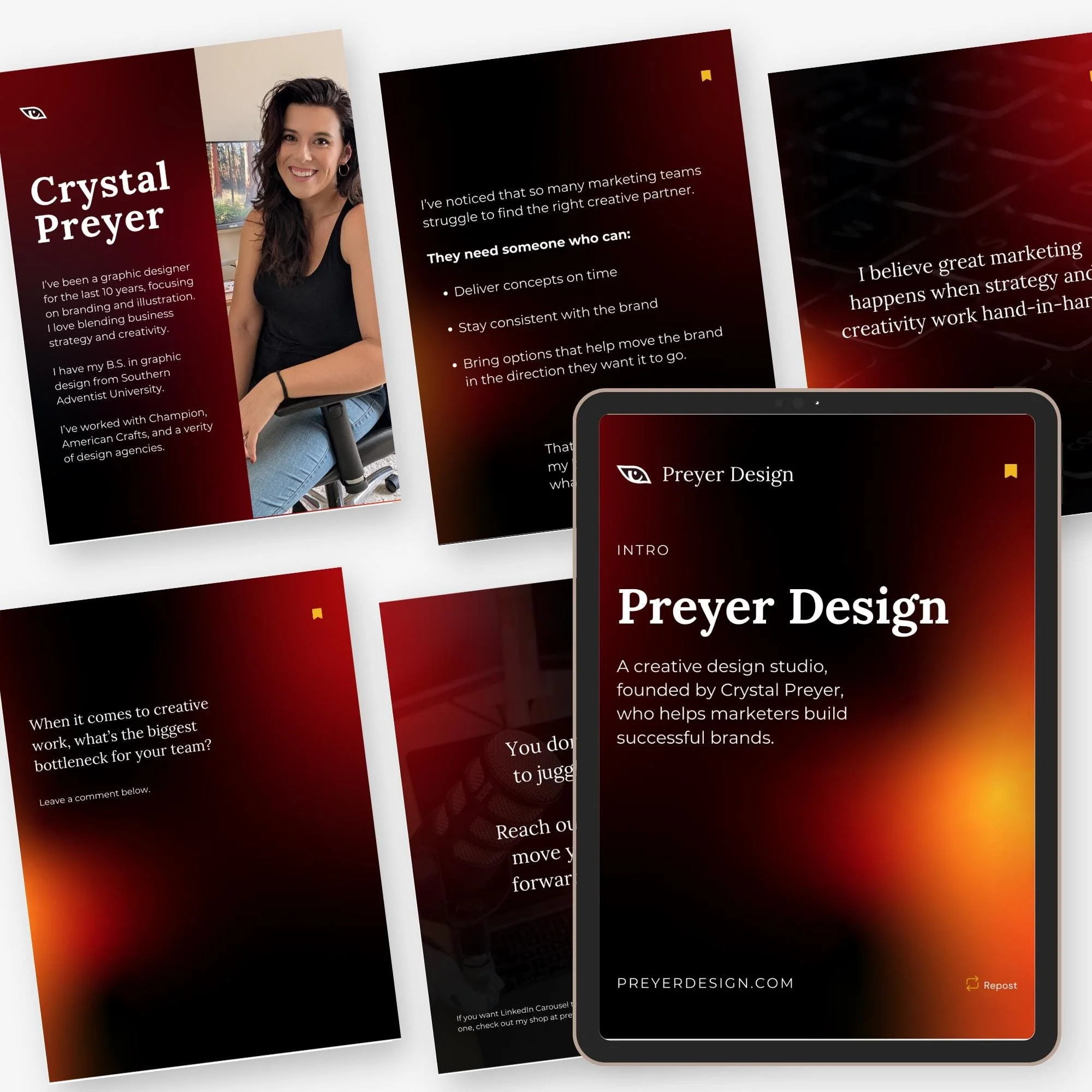
This Canva carousel template is designed to help you explain why you got started in a way that feels authentic, engaging, and professional. Share your thoughts easily with this prompted guide. Connects with your audience, and then guide them to define you as an expert in your industry, and get them to know you and build trust.
And here’s the best part: it also comes with writing prompts to help you generate compelling content for every slide—so you’ll never feel stuck staring at a blank page.
What’s included:
• 2 fully customizable Canva carousel templates
• 6 professionally designed slides
• Editable text, colors, fonts, and images
• Designed for LinkedIn & Instagram carousels
• Bonus, prompted for writing that engages
Why you’ll love it:
• Save hours of design and writing time
• Start with a problem and target audience you want to address that captures attention and builds trust
• Perfect for marketing directors, entrepreneurs, and social media managers
• Digital download—start creating immediately
How it works:
1. Purchase & download
2. Open in Canva (free account works!)
3. Use the included ChatGPT script prompt to generate slide copy
4. Customize text, images, and colors to fit your brand
5. Export as a PDF or images and upload to LinkedIn or Instagram
✨ Want to see this template in action? Check out examples on my pages:
Instagram → @preyerdesign https://www.instagram.com/preyerdesign/
LinkedIn → Preyer Design https://www.linkedin.com/company/preyer-design/
Boost engagement, share your process through visual storytelling, and create carousels that show your audience what it’s really like to work with you—without hiring a designer.

This Canva carousel template is designed to help you tell your story in a way that feels authentic, engaging, and professional. Share a list of resources easily in a way to share your personality, so yeah, drop those referral links with your own vibe. Connects with your audience, and then guide them naturally toward tools and solutions that have helped you.
And here’s the best part: it also comes with a ChatGPT script prompt to help you generate compelling content for every slide—so you’ll never feel stuck staring at a blank page.
What’s included:
• 2 fully customizable Canva carousel templates
• 6 professionally designed slides
• Editable text, colors, fonts, and images
• Designed for LinkedIn & Instagram carousels
• Bonus tips for storytelling that converts
Why you’ll love it:
• Save hours of design and writing time
• Start with a story that captures attention and builds trust
• Perfect for marketing directors, entrepreneurs, and social media managers
• Digital download—start creating immediately
How it works:
1. Purchase & download
2. Open in Canva (free account works!)
3. Use the included ChatGPT script prompt to generate slide copy
4. Customize text, images, and colors to fit your brand
5. Export as a PDF or images and upload to LinkedIn or Instagram
✨ Want to see this template in action? Check out examples on my pages:
Instagram → @preyerdesign https://www.instagram.com/preyerdesign/
LinkedIn → Preyer Design https://www.linkedin.com/company/preyer-design/
Boost engagement, share your process through visual storytelling, and create carousels that show your audience what it’s really like to work with you—without hiring a designer.
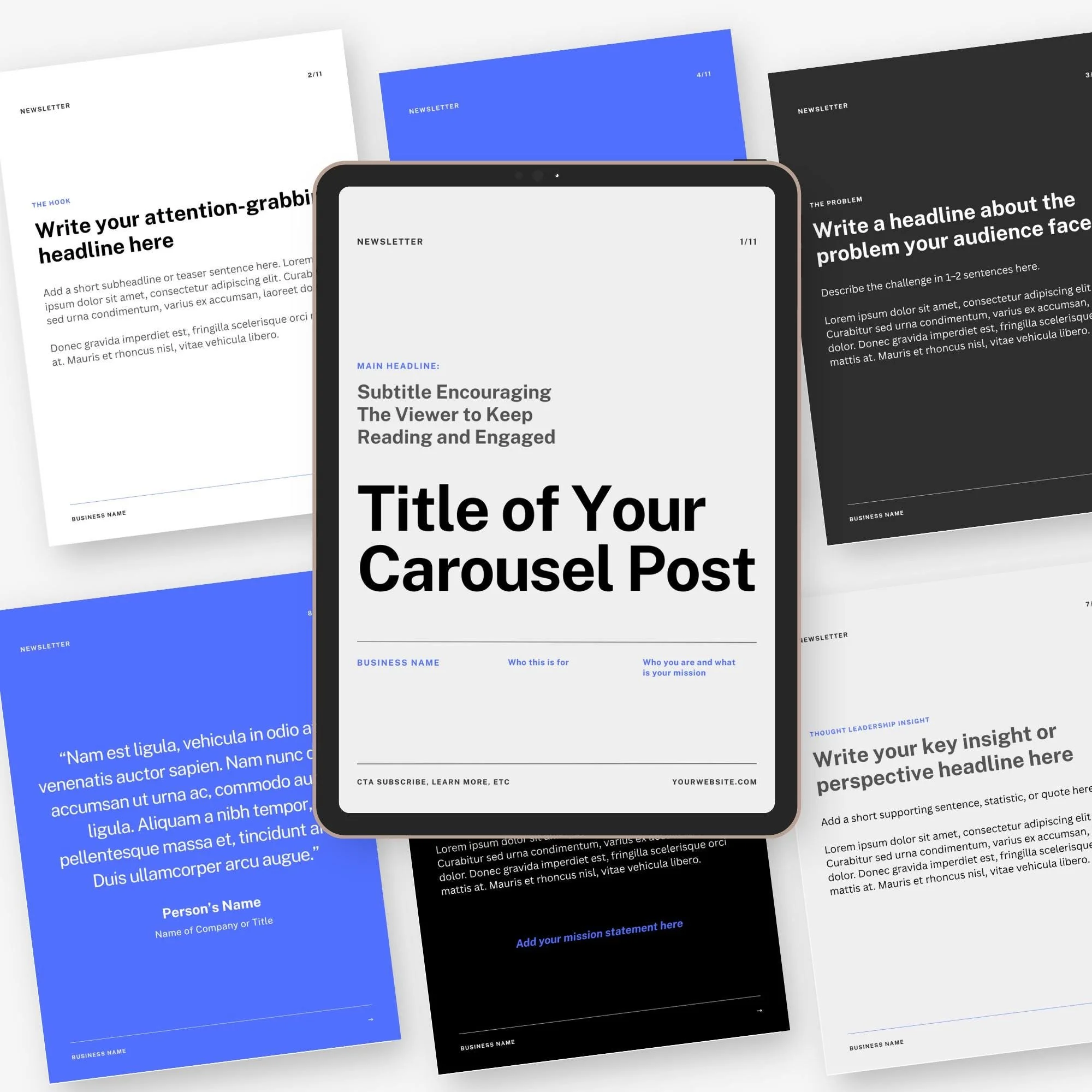
This Canva carousel template is designed to help you tell your expertise in a way that feels authentic, engaging, and professional. Share your thoughts easily with this prompted guide. Connects with your audience, and then guide them to define you as an expert in your industry.
And here’s the best part: it also comes with a ChatGPT script prompt to help you generate compelling content for every slide—so you’ll never feel stuck staring at a blank page.
What’s included:
• 2 fully customizable Canva carousel templates
• 11 professionally designed slides
• Editable text, colors, fonts, and images
• Designed for LinkedIn & Instagram carousels
• Bonus, prompted for writing that engages
Why you’ll love it:
• Save hours of design and writing time
• Start with a problem and target audience you want to address that captures attention and builds trust
• Perfect for marketing directors, entrepreneurs, and social media managers
• Digital download—start creating immediately
How it works:
1. Purchase & download
2. Open in Canva (free account works!)
3. Use the included ChatGPT script prompt to generate slide copy
4. Customize text, images, and colors to fit your brand
5. Export as a PDF or images and upload to LinkedIn or Instagram
✨ Want to see this template in action? Check out examples on my pages:
Instagram → @preyerdesign https://www.instagram.com/preyerdesign/
LinkedIn → Preyer Design https://www.linkedin.com/company/preyer-design/
Boost engagement, share your process through visual storytelling, and create carousels that show your audience what it’s really like to work with you—without hiring a designer.
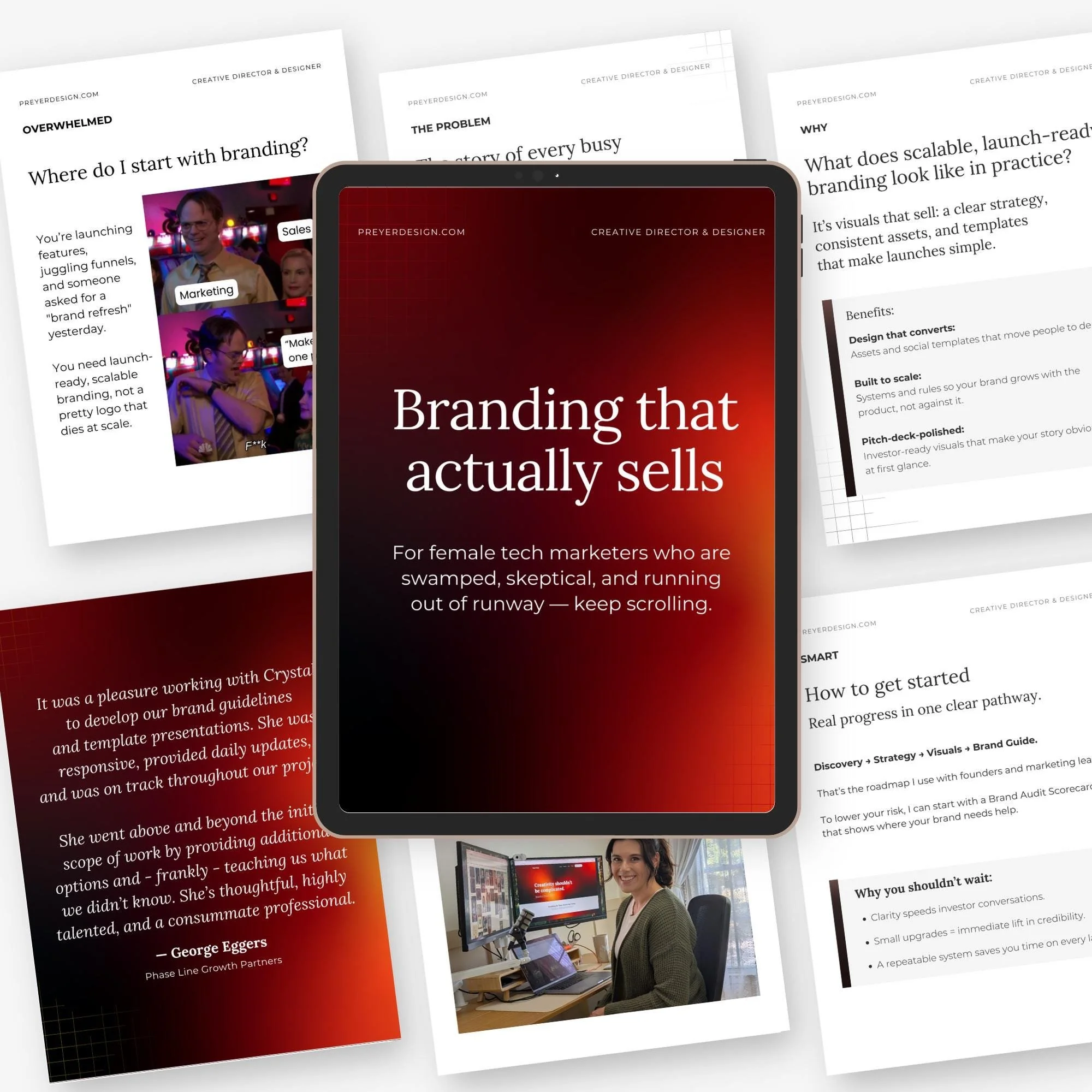
This Canva carousel template is designed to help you tell your brand story in a way that feels authentic, engaging, and professional. Instead of diving straight into the problem/solution framework, this template lets you lead with a story that connects with your audience, and then guide them naturally toward your solution.
And here’s the best part: it also comes with a ChatGPT script prompt to help you generate compelling content for every slide—so you’ll never feel stuck staring at a blank page.
What’s included:
• 2 fully customizable Canva carousel templates
• 10 professionally designed slides
• Editable text, colors, fonts, and images
• Designed for LinkedIn & Instagram carousels
• A ChatGPT script prompt to help you write engaging copy for all slides
• Bonus tips for storytelling that converts
Why you’ll love it:
• Save hours of design and writing time
• Start with a story that captures attention and builds trust
• Perfect for marketing directors, entrepreneurs, and social media managers
• Digital download—start creating immediately
How it works:
1. Purchase & download
2. Open in Canva (free account works!)
3. Use the included ChatGPT script prompt to generate slide copy
4. Customize text, images, and colors to fit your brand
5. Export as a PDF or images and upload to LinkedIn or Instagram
✨ Want to see this template in action? Check out examples on my pages:
Instagram → @preyerdesign https://www.instagram.com/preyerdesign/
LinkedIn → Preyer Design https://www.linkedin.com/company/preyer-design/
Boost engagement, share your process through storytelling, and create carousels that show your audience what it’s really like to work with you—without hiring a designer.
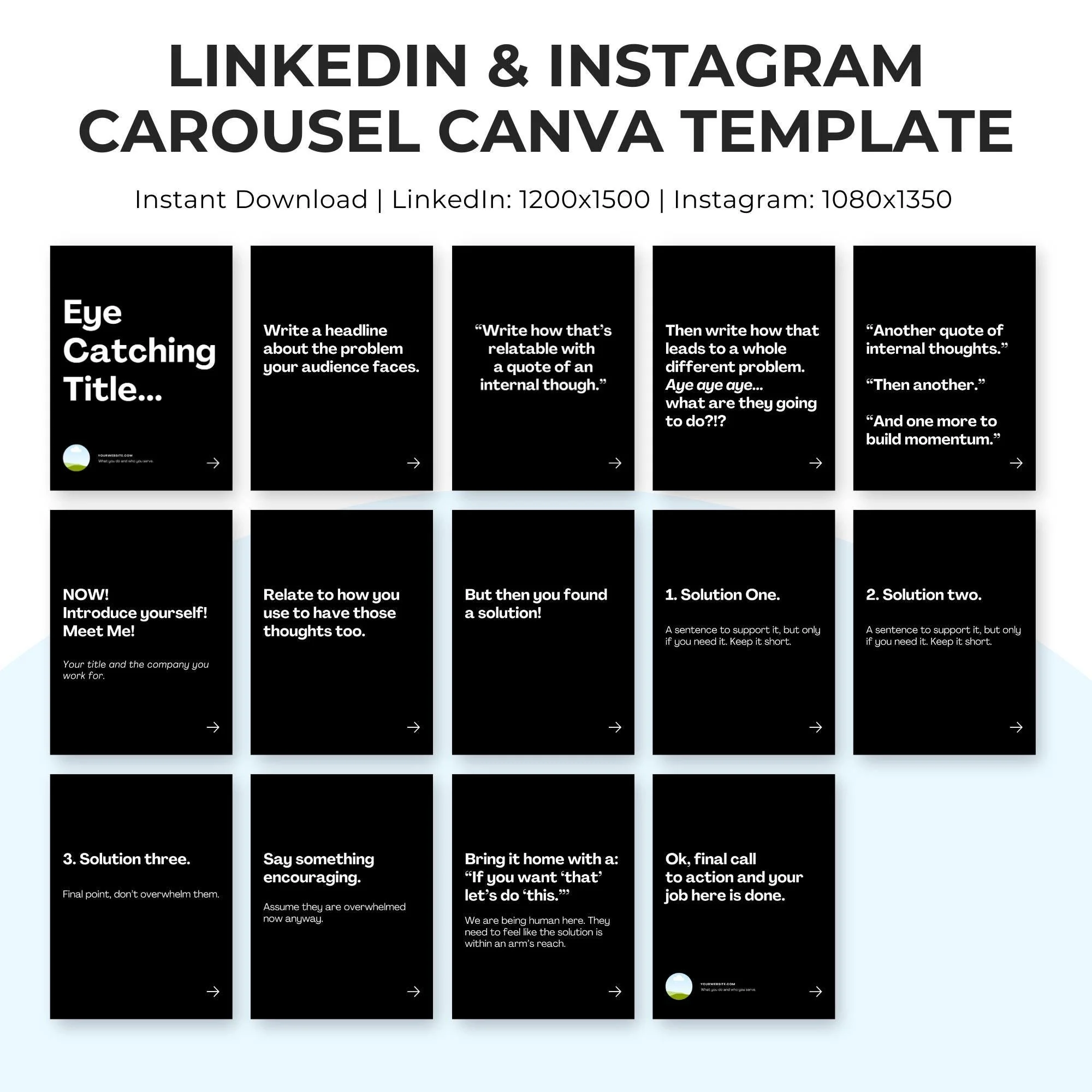
Create scroll-stopping carousels for LinkedIn and Instagram in minutes with this fully editable Canva template! Perfect for marketers, business owners, and social media managers who want to share insights, showcase expertise, or promote services—without starting from scratch.
What’s included:
• 2 fully customizable Canva carousel template
• Easy-to-edit text, colors, and images
• Designed for LinkedIn & Instagram carousel posts
• 12 Slides
• Bonus tips for writing engaging copy that converts
Why you’ll love it:
• Save hours of design time
• Professionally designed layout that captures attention
• Perfect for marketing directors, entrepreneurs, and social media managers
• Digital download—start creating immediately
How it works:
• Purchase & download
• Open in Canva (free account works!)
• Customize text, images, and colors to fit your brand
• Export as a PDF or images and upload to LinkedIn or Instagram
Want to see this template in action? Check out examples on my LinkedIn and Instagram pages!
✨ https://www.instagram.com/preyerdesign/
✨ https://www.linkedin.com/company/preyer-design
Boost engagement, save time, and create professional carousels that show off your expertise—without hiring a designer.